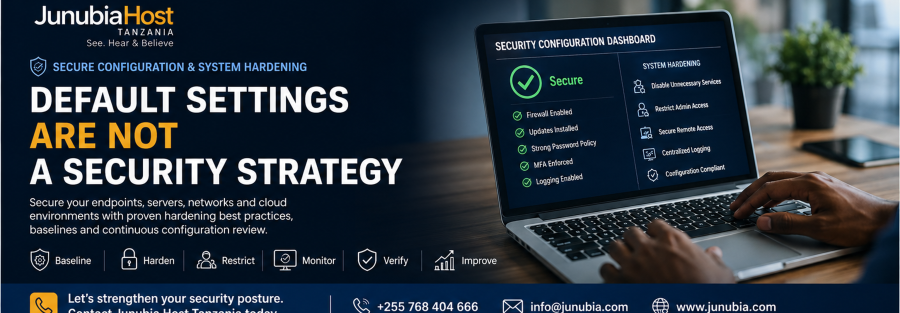
Installing Security Technology Does Not Automatically Make It Secure
An organisation can purchase a powerful firewall, endpoint-security platform, Microsoft 365 subscription or network infrastructure and still remain exposed if the technology is configured poorly.
Examples include:
- Default administrator credentials
- Unused services left enabled
- Excessive user privileges
- Weak remote-access policies
- Insecure management interfaces
- Poor firewall rules
- Security logging disabled
- Devices using outdated baseline settings
- Unrestricted administrative access
- Security features purchased but never enabled
NSA and CISA’s analysis of common organisational misconfigurations found recurring issues including default configurations, poor privilege separation, lack of segmentation, weak MFA implementation, insufficient access controls and unrestricted code execution.
The lesson is simple:
Security products need secure configuration.
What Is System Hardening?
System hardening is the process of reducing unnecessary exposure by configuring technology according to an approved security standard.
Instead of accepting every factory or default setting, the organisation deliberately decides:
Which services should run?
Who should have administrator access?
Which protocols are allowed?
Which users can connect remotely?
What activity should be logged?
Which security controls should always be enforced?
Microsoft, Cisco and Palo Alto Networks all publish security-baseline or hardening guidance for their platforms so organisations can move from general default configuration toward a more controlled security posture.
1. Create an Approved Security Baseline
A baseline defines the minimum security settings every appropriate device or system should follow.
For example, a Windows endpoint baseline may specify:
- Password and authentication policies
- Encryption
- Local administrator controls
- Microsoft Defender settings
- Firewall configuration
- Browser protections
- Device restrictions
- Attack-surface-reduction settings
Microsoft Intune currently provides security baselines containing preconfigured settings recommended by Microsoft security teams. Organisations can customise those baselines and deploy them to managed groups of Windows devices; Microsoft also provides baselines for Defender for Endpoint and Microsoft 365 Apps.
A baseline helps prevent every administrator from configuring devices differently.
Instead of:
“This laptop looks secure.”
the organisation can ask:
“Does this laptop comply with our approved security baseline?”
2. Change or Disable Default Credentials
Default passwords remain dangerous because they may be widely known, published online or reused across many devices.
Potentially affected technology can include:
- Routers
- Firewalls
- Printers
- Cameras
- IoT devices
- Business appliances
- Management interfaces
- Applications
CISA has repeatedly warned about default credentials and recommends changing or disabling vendor-supplied default usernames and passwords before systems are placed into production.
Your implementation checklist should include:
Default account exists? → Change, disable or secure it before production use.
3. Disable Services You Do Not Need
Every enabled service creates another function that must be secured, monitored and maintained.
If a service has no business purpose, the organisation should consider disabling it.
Cisco’s June 2026 secure-operations guidance specifically recommends disabling unnecessary services and notes, for example, that secure management methods such as SSHv2 should be preferred over insecure legacy protocols such as Telnet.
Examples of services worth reviewing include:
- Telnet
- Legacy file-sharing protocols
- Unnecessary web-management interfaces
- Unused discovery protocols
- Old remote-management services
- Unnecessary listening ports
The principle is:
If the organisation does not need it, attackers should not be able to use it either.
4. Separate Administrator Access from Normal User Access
Administrators need powerful privileges.
They should not use those privileges unnecessarily.
A secure configuration strategy should review:
- Number of administrators
- Shared administrator accounts
- Local administrator rights
- Domain-level privileges
- Firewall administrators
- Cloud administrators
- Emergency accounts
- Contractor access
NSA and CISA identify improper separation of user and administrator privileges as a common misconfiguration because excessive privileges can make a compromise significantly more damaging.
A better structure is:
Normal daily account → ordinary work
Privileged account → administrative activity only
This reduces the opportunity for a normal phishing or malware incident to immediately become an administrative compromise.
5. Harden Remote Access
Remote access is useful—but it should not mean unrestricted access.
Review:
- VPN access
- Remote Desktop
- Third-party support access
- Administrator remote access
- Contractor connectivity
- Branch connections
Controls may include:
- MFA
- Restricted source addresses
- Application-specific access
- Strong authentication
- Limited administrator exposure
- Session logging
- Network segmentation
- Zero Trust Network Access where appropriate
Cisco’s Secure Firewall hardening guidance recommends limiting management access, securing administrative interfaces and closing unnecessary communication paths.
Remote access should answer:
Who needs access, to which resource, from which device, under what conditions?
6. Harden Network Devices
Routers, switches and firewalls are critical because they control traffic across the organisation.
A network-hardening review may examine:
- Management-plane access
- SSH configuration
- SNMP configuration
- Logging
- Network time
- Unused services
- ACLs
- Management interfaces
- Control-plane protection
- Firewall policies
Cisco’s current secure-operations guidance covers management-plane hardening, control-plane protection, secure logging, ACLs, port controls and central log collection for Cisco network platforms.
The network should not simply function.
It should function securely.
7. Restrict Management Interfaces
Management interfaces deserve stronger protection than normal business applications.
Examples include:
- Firewall administration
- Router administration
- Server management
- Cloud administration
- Hypervisor interfaces
- Backup management
- Security consoles
These interfaces should generally be available only to approved administrators through controlled management paths.
Cisco Secure Firewall hardening guidance, for example, recommends restricting management access to authorised IP addresses and closing unnecessary management exposure.
Ask:
Can an ordinary employee device reach our most sensitive management consoles?
If yes, the architecture deserves review.
8. Configure Centralised Logging
A secure device that generates no useful logs can make investigations difficult.
Important systems should send appropriate security logs to a controlled location.
Cisco’s secure-operations guidance recommends a unified logging strategy and central collection so organisations can review historical and current events, correlate activity and support incident investigation.
Logs may include:
- Administrator logins
- Configuration changes
- Authentication attempts
- Firewall activity
- Security alerts
- Network events
- Access changes
- Device failures
Logging should answer:
Who changed this?
When?
From where?
What happened next?
9. Secure Windows Devices with Managed Baselines
Manually configuring hundreds of laptops individually is difficult.
Centralised management allows organisations to apply a consistent security configuration.
Microsoft Intune security baselines provide recommended configuration profiles for Windows, Defender for Endpoint and Microsoft 365 Apps, and newer baseline versions can be deployed or used to upgrade older profiles as Microsoft updates security recommendations.
Benefits can include:
- Consistency
- Easier compliance checks
- Reduced configuration drift
- Faster deployment
- Central policy updates
But organisations should still test baselines before broad deployment because security settings can affect legitimate business workflows. Microsoft specifically allows customers to customise baseline settings rather than treating every recommended setting as universally appropriate.
10. Review Firewall Configuration Against Best Practices
A firewall can be powerful while still being badly configured.
Potential concerns include:
- Overly broad allow rules
- Missing security profiles
- Unused rules
- Unrestricted administrator access
- Inadequate logging
- Excessive trust between zones
- Weak management configuration
Palo Alto Networks’ Best Practice Assessment compares firewall and Panorama configurations against recommended practices and provides remediation guidance. Palo Alto Networks’ current data-centre best-practice documentation says its assessment tooling can run more than 200 checks and help organisations measure improvement over time.
This creates a useful security cycle:
Assess → Prioritise → Improve → Reassess
11. Do Not Change Everything at Once
Hardening must be implemented carefully.
A setting that improves security can also interrupt:
- Legacy applications
- Printer services
- Old business systems
- Remote employees
- Administrative workflows
- Special-purpose devices
Palo Alto Networks recommends prioritising safe, high-impact improvements and gradually moving configurations toward best practice while measuring the effect of changes.
Microsoft similarly allows security baselines to be customised to organisational requirements rather than simply forcing every default recommendation.
A practical rollout is:
Phase 1 — Audit
Understand the existing configuration.
Phase 2 — Compare
Compare with approved security guidance.
Phase 3 — Prioritise
Start with high-risk weaknesses.
Phase 4 — Test
Confirm critical services continue operating.
Phase 5 — Deploy
Apply approved settings.
Phase 6 — Verify
Confirm the security state.
12. Monitor Configuration Drift
A secure configuration can become insecure later.
For example:
- An administrator opens a firewall port temporarily and forgets to close it.
- A user is added to an administrator group.
- Logging is disabled during troubleshooting.
- A security policy is weakened.
- A new application requires risky settings.
This is called configuration drift.
Security baselines and repeated assessment help organisations detect when systems move away from the approved state. Microsoft Intune supports versioned security-baseline profiles, while Palo Alto Networks recommends repeated Best Practice Assessments or dashboard review to measure changes in best-practice adoption.
Security configuration should therefore be continuous—not a one-time project.
Junubia Host Secure Configuration & Hardening Process
Step 1 — Discover
Identify systems, endpoints, network devices, security platforms and administrative interfaces.
Step 2 — Assess
Review existing settings against business requirements and vendor security guidance.
Step 3 — Prioritise
Identify configuration weaknesses that create the greatest exposure.
Step 4 — Design Baselines
Define approved settings for relevant devices and systems.
Step 5 — Test
Apply settings to controlled systems first where required.
Step 6 — Harden
Disable unnecessary services, restrict privileges and apply approved security settings.
Step 7 — Verify
Confirm that configurations match the approved baseline.
Step 8 — Monitor
Watch for changes and configuration drift.
Step 9 — Improve
Update baselines as technology and threat conditions change.
Technologies Junubia Host Can Help Assess
Microsoft Security
Microsoft technologies can support secure configuration through:
- Microsoft Intune security baselines
- Microsoft Defender for Endpoint baseline
- Windows security configuration
- Microsoft 365 Apps security baseline
- Centralised policy management
Microsoft currently provides security-baseline templates that organisations can customise and deploy across managed environments.
Cisco Security
Cisco publishes hardening and secure-operations guidance covering areas such as:
- Management access
- Logging
- SSH
- Network protocols
- ACLs
- Control-plane protection
- Unused services
- Secure Firewall configuration
Cisco’s June 2026 secure-operations guidance specifically focuses on hardening Cisco devices running platforms such as IOS XE and NX-OS.
Palo Alto Networks
Palo Alto Networks provides:
- Best Practice Assessment
- Prevention Posture Assessment
- Security-policy recommendations
- Configuration review
- Best-practice adoption measurement
Its current assessment tools are designed to identify configuration gaps, prioritise improvements and measure progress toward stronger security posture.
Secure Configuration Readiness Checklist
Ask your IT team:
- Have all default administrator passwords been changed?
- Are unnecessary services disabled?
- Do ordinary employees have unnecessary administrator rights?
- Is remote management restricted?
- Is Telnet disabled where more secure alternatives exist?
- Are firewall management interfaces tightly controlled?
- Are network-device logs centrally collected?
- Do Windows devices follow an approved baseline?
- Are security policies consistent across branches?
- Do we regularly review firewall configuration?
- Can we detect unauthorised configuration changes?
- Do we test hardening changes before wide deployment?
- Who approves changes to security baselines?
- Do we regularly reassess configuration drift?
If several answers are unclear, the organisation may benefit from a Secure Configuration & System Hardening Assessment.